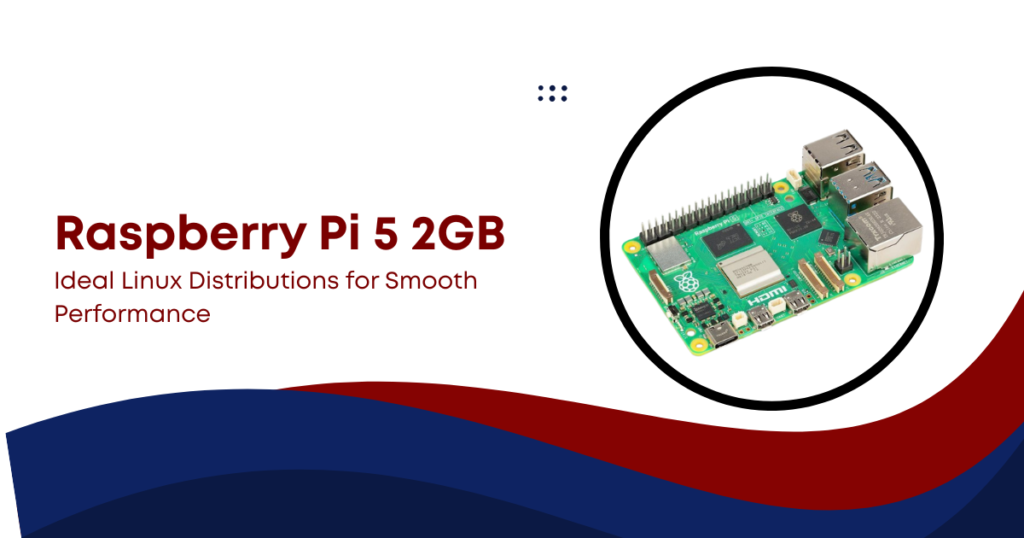
The Raspberry Pi 5 2GB is one of the most interesting low-cost single-board computers available today. It brings desktop-level CPU performance in a compact form, but the limited 2GB RAM changes how you should choose your operating system.
In this blog, we will explore the best Linux distributions for Raspberry Pi 5, focusing on real performance, memory usage, and practical use cases. The goal is simple: help you keep the system fast, stable, and responsive.
Raspberry Pi 5 2GB Overview
The Raspberry Pi 5 series uses the Broadcom BCM2712 processor. It features a quad-core Cortex-A76 CPU running at 2.4 GHz. This is a major upgrade compared to older Raspberry Pi models.
Key hardware details:
- CPU: Quad-core Cortex-A76 @ 2.4 GHz
- RAM: 2GB LPDDR4X
- GPU: VideoCore VII
- Storage: microSD + NVMe support
- Network: Gigabit Ethernet
Performance improvements are significant. In real-world tests, the Raspberry Pi 5 performs 2 to 3 times faster than Raspberry Pi 4 in tasks like compression and system workloads. But the 2GB RAM version creates a limitation. The CPU is strong, but memory fills quickly under desktop workloads.
Why Linux Choice Matters on Raspberry Pi 5 2GB
On a system with only 2GB RAM, the operating system plays a major role in performance.
1. Importance of Memory Constraints on Raspberry Pi 5 (2GB)
On Raspberry Pi 5 with only 2GB RAM, memory is a critical resource because modern applications are heavy. Unlike desktop systems, there is no large buffer, so every background process matters. Efficient operating system selection improves responsiveness, multitasking and system stability overall in daily use.
2. Boot Memory Usage and System Limits
Fresh boot memory usage on Raspberry Pi 5 is already high because Linux desktop environments preload services and drivers. Around 600–700 MB RAM is consumed immediately after startup leaving limited space for user applications and reducing multitasking headroom significantly on a low-memory 2GB configuration frequently.
3. Web Browsing and Heavy Application Load
Web browsing on Raspberry Pi 5 with 2GB RAM is often the most memory intensive everyday task for users typically. Modern websites load heavy scripts, videos, and ads, which can consume 1.2 GB to 1.8 GB RAM per active browsing session on low-memory systems frequently.
4. Background Services and Swap Limitations
Background services on Linux desktop environments continuously run daemons for networking, Bluetooth, indexing, and system monitoring even when idle by default enabled. When RAM is exhausted, the system uses swap on microSD cards, which is significantly slower and causes lag, freezing, and poor responsiveness issues.
Best Linux Distributions for Raspberry Pi 5 2GB
Let’s look at the most reliable Linux options that work well with limited memory.
1. Raspberry Pi OS Lite
Raspberry Pi OS Lite is the most efficient and stable option for Raspberry Pi 5 2GB systems because it removes graphical overhead completely. It uses very low memory, boots quickly, and ensures maximum resources remain available for user applications, making it ideal for servers and background tasks efficiently.
2. Raspberry Pi OS with XFCE Desktop
XFCE on Raspberry Pi OS provides a balanced desktop experience for low-memory systems. It avoids heavy animations and background services, keeping RAM usage moderate. This setup allows smooth web browsing, coding, and office tasks while still maintaining acceptable performance on a 2GB Raspberry Pi 5.
3. Ubuntu Server
Ubuntu Server is widely used for cloud and server workloads due to its strong ecosystem and long-term support. However, on Raspberry Pi 5 2GB it consumes more memory than lightweight alternatives. It is suitable for containers and hosting but often requires swap tuning for stability.
4. DietPi
DietPi is designed specifically for minimal resource usage and performs extremely well on 2GB systems. It reduces unnecessary services and keeps RAM consumption very low. This makes it ideal for NAS setups, media servers, and home automation where efficiency and responsiveness are important.
5. Arch Linux ARM
Arch Linux ARM offers full control and customization for advanced users. It starts minimal and allows users to build only what they need, keeping memory usage efficient. However, it requires strong Linux knowledge for installation, configuration, and ongoing maintenance on Raspberry Pi systems.
6. Alpine Linux
Alpine Linux is one of the lightest Linux distributions available, designed for security and minimal resource usage. It can run with very low RAM consumption, making it excellent for containers and embedded systems. However, it is not beginner-friendly and is unsuitable for typical desktop usage.
Performance Comparison (Real-World View)
| Distribution | Idle RAM Usage | Desktop Support | Best Purpose |
| Raspberry Pi OS Lite | 300–500 MB | No | Server use |
| XFCE Desktop | 700–900 MB | Yes | Light desktop |
| Ubuntu Server | 700–900 MB | No | Cloud/server apps |
| DietPi | 200–350 MB | Optional | Lightweight systems |
| Arch Linux ARM | 300–600 MB | Optional | Advanced setups |
| Alpine Linux | <400 MB | No | Containers |
Real Bottlenecks on Raspberry Pi 5 2GB
Even though the Raspberry Pi 5 is powerful, the 2GB RAM limit creates real challenges.
1. Web Browsing
Web browsing is one of the heaviest workloads on Raspberry Pi 5 with 2GB RAM because modern browsers load complex scripts, ads, and multimedia content. Even 8–10 open tabs can consume up to 1.6 GB RAM, leaving almost no memory for background processes or other applications.
2. Desktop Environment Memory Pressure
Desktop environments significantly impact performance on low-memory systems. Heavier environments can consume 300–700 MB RAM along with GPU resources for visual effects and compositing. This reduces available memory for applications, resulting in slower multitasking, laggy window switching, and reduced overall system responsiveness during daily use.
3. Swap Usage and Performance Drop
When RAM becomes full, the system relies on swap memory to continue functioning. On Raspberry Pi 5, swap stored on microSD cards is extremely slow, causing delays and system freezing. While swap improves stability, it significantly reduces performance compared to RAM, especially under multitasking or heavy workloads.
4. Storage Bottlenecks and System Responsiveness
Storage speed directly affects system smoothness on Raspberry Pi 5. microSD cards often become a performance bottleneck during swapping and file operations. In contrast, NVMe storage delivers much faster read speeds, often exceeding 800 MB/s, improving responsiveness, reducing lag, and enhancing overall system performance significantly.
5. Power and Cooling Impact on Performance
Power consumption and thermal management strongly influence Raspberry Pi 5 performance. The system draws around 2.4W at idle and up to 8–10W under load. Without proper cooling, thermal throttling reduces CPU speed, while active cooling maintains stable performance during multitasking and sustained workloads efficiently.
Storage Matters as Much as Linux Choice
Storage speed plays a huge role in system smoothness.
- Storage speed directly affects system performance: Even with a good Linux distribution, slow storage can make the system feel laggy and unresponsive.
- microSD cards can limit performance on Raspberry Pi 5: While convenient and cheap, microSD cards often struggle with random read/write speeds, creating a bottleneck.
- NVMe storage significantly boosts responsiveness: Using NVMe drives on Raspberry Pi 5 reduces load times and improves overall system fluidity.
- Faster storage improves multitasking and swapping: High-speed storage helps the system handle memory swapping and background tasks more smoothly.
- NVMe can deliver very high real-world speeds: In practical use, NVMe drives can exceed 800 MB/s read speeds, greatly reducing delays in file access and boot times.
Power and Cooling Impact
The Raspberry Pi 5 consumes more power than older models.
- Idle power: ~2.4W
- Full load: up to 8–10W
Without cooling:
- CPU may throttle under heavy load
With active cooling:
- Stable performance even under long workloads
This also affects Linux performance, especially during multitasking.
Final Thoughts
The Raspberry Pi 5 is a capable system, but RAM defines its limits. The CPU is strong enough for modern tasks, but memory pressure appears quickly with heavy software.
Choosing the right Linux distribution makes a major difference:
- Lightweight systems improve speed and stability
- Heavy desktops reduce usable memory quickly
- Server-focused distros perform best on this hardware
If you match the OS to your use case, the Raspberry Pi 5 2GB becomes a very efficient and reliable computing platform for learning, development, and lightweight server work.