Modern workplaces rely on audio more than many people realize. Employees use speakers for virtual meetings, training videos, background music, presentations, webinars, and collaborative sessions. A suitable speaker can make these activities more convenient, but poor audio equipment can introduce connection problems, unclear speech, distracting background noise, and unnecessary interruptions.
Choosing the best bluetooth speaker for the office means looking beyond basic wireless playback. Microphone compatibility, multipoint pairing, acoustic directivity, digital signal processing, latency, and power management all influence how well a speaker fits into a professional environment.
The ideal workplace audio system should be easy to operate, deliver consistent sound at moderate volume, and work reliably with computers and mobile devices. It should also match the physical environment. A speaker designed for a private desk may not provide the coverage required for a meeting room, while a powerful portable model may be unnecessarily loud for a quiet shared workspace.
Understanding the relationship between these technologies helps identify a speaker that supports everyday work instead of creating additional distractions.
Workplace Audio Has Two Different Jobs: Communication and Entertainment
Before comparing specifications, it is important to distinguish between two common office applications.
The first is entertainment and general playback. Employees may listen to music, podcasts, audiobooks, or recorded presentations. This application places greater emphasis on tonal balance, frequency response, driver performance, and listening comfort.
The second is professional communication. Video conferences, online training, and group discussions require clear speech reproduction, dependable microphone capture, and low-latency communication.
These applications overlap, but they do not require identical hardware.
| Requirement | Music and general playback | Meetings and communication |
| Primary objective | Accurate and enjoyable audio reproduction | Clear speech transmission and reception |
| Important frequency range | Full audible spectrum | Speech intelligibility and vocal clarity |
| Microphone | Optional | Often essential |
| Echo cancellation | Usually unnecessary | Important for speakerphone operation |
| Noise reduction | Optional | Useful for voice pickup |
| Latency | Important for video synchronization | Important for natural conversation |
| Acoustic coverage | Depends on listening position | Must suit the number of participants |
A premium music speaker is not automatically a good conference speakerphone. It may reproduce voices clearly but lack the microphone array, acoustic echo cancellation, and voice-processing algorithms required for professional calls.
Identifying the primary application first prevents purchasing equipment that performs well in one area but fails to meet another important requirement.
Acoustic Echo Cancellation: Why It Matters for Office Meetings
One of the most important technologies in a conference speakerphone is Acoustic Echo Cancellation (AEC).
During a video meeting, the speaker reproduces audio received from other participants. A nearby microphone can capture that same sound and transmit it back into the meeting. Without appropriate processing, remote participants may hear their own voices repeated.
AEC attempts to identify and remove this unwanted playback signal from the microphone input.
A typical echo-cancellation system uses a reference signal representing the audio being sent to the speaker. An adaptive filter estimates how that signal travels through the room and reaches the microphone. The system then subtracts the estimated echo from the captured microphone signal.
Its effectiveness depends on several factors:
- Accuracy of the reference playback signal.
- Adaptation speed of the filtering algorithm.
- Room reflections and reverberation.
- Microphone and speaker positioning.
- Changes in playback volume.
- Processing delay and system synchronization.
AEC is particularly important in rooms with reflective surfaces, where sound may return to the microphone through multiple paths.
However, a speaker with Bluetooth connectivity does not necessarily include AEC. The feature is generally associated with dedicated communication hardware or software. If conference calls are a regular requirement, confirm that the product explicitly supports speakerphone functionality.
Microphone Arrays and Beamforming for Better Voice Pickup
A microphone array uses multiple microphones to capture sound from different positions. By analyzing differences in arrival time and signal characteristics, the system can estimate where a speaker is located.
Beamforming uses this information to emphasize sound arriving from a particular direction while reducing unwanted signals from other directions.
In a meeting room, this can help prioritize voices from participants seated around a conference table.
Common microphone technologies include:
- Omnidirectional microphones: Capture sound from multiple directions.
- Directional microphones: Emphasize sound from a particular region.
- Microphone arrays: Combine multiple microphone signals for spatial processing.
- Beamforming systems: Apply signal processing to improve directional voice pickup.
Beamforming is not a guarantee of perfect voice recognition. Its effectiveness depends on microphone spacing, room acoustics, background noise, participant distance, and algorithm quality.
For individual workstations, a headset or dedicated desktop microphone may still provide better voice isolation than a speakerphone located several feet away.
Bluetooth Multipoint: Managing Multiple Work Devices
Office employees frequently switch between a laptop and smartphone. A speaker that supports Bluetooth multipoint can maintain connections with more than one compatible source device.
This can reduce the need to disconnect and reconnect every time the user changes devices.
For example, a person might play music from a laptop and then receive an incoming call on a connected phone. Depending on the speaker’s implementation, it may pause playback and switch to the phone.
Multipoint is useful, but it does not mean that a speaker mixes audio from every connected device simultaneously.
Before relying on this feature, check:
- How many devices can remain connected.
- Whether the speaker supports automatic switching.
- How it handles incoming calls.
- Whether simultaneous playback is supported.
- Whether switching behavior is compatible with the operating system.
Different manufacturers implement multipoint differently. A feature described as multipoint may support two connected devices but still require manual selection when both attempt to play audio.
For a workplace where employees regularly move between devices, predictable switching behavior can make a meaningful difference to everyday usability.
Wi-Fi, Bluetooth, and Network-Based Audio
Bluetooth is convenient because it creates a direct wireless connection between a source device and a speaker. However, some workplace audio systems use Wi-Fi or network-based playback instead.
These approaches have different technical characteristics.
Bluetooth generally operates over a short-range personal-area wireless connection. Wi-Fi uses a local network and can support higher data throughput, network-based streaming, and multiroom audio configurations.
| Feature | Bluetooth audio | Wi-Fi audio |
| Connection method | Direct device-to-speaker pairing | Local network connection |
| Setup | Usually straightforward | Requires network configuration |
| Mobility | Convenient for nearby devices | Depends on network coverage |
| Multiroom support | Depends on specific technology | Often supported by compatible ecosystems |
| Internet dependency | Not required for local playback | Depends on streaming and network setup |
| Workplace integration | Suitable for individual playback | Useful for networked audio systems |
Neither technology is universally superior.
Bluetooth is often more practical for a single workstation because it requires minimal configuration. Wi-Fi can be useful in larger offices where several speakers need synchronized playback or centralized control.
Network security is also important. Business environments should use approved network policies and avoid connecting personal devices to restricted corporate systems without authorization.
Latency, Buffering, and Audio Synchronization
Latency is the delay between an audio signal being generated and being reproduced by the speaker.
In office environments, latency matters when watching training videos, sharing presentations, or participating in video calls.
The total delay can come from several stages:
- Audio decoding on the source device.
- Codec encoding and buffering.
- Wireless transmission.
- Receiving-device buffering.
- Codec decoding.
- DSP and crossover processing.
- Amplifier and transducer response.
Each stage can introduce a small amount of delay. Combined, these delays may become noticeable.
Buffering helps maintain smooth playback when wireless transmission is inconsistent. However, larger buffers can increase latency.
A speaker designed primarily for music playback may prioritize uninterrupted audio rather than the lowest possible delay. Dedicated low-latency implementations can be more appropriate for applications requiring tighter synchronization.
For office use, test the actual combination of computer, operating system, application, and speaker. Advertised Bluetooth latency does not always represent the complete delay experienced during a video meeting.
Voice Frequency Response and Intelligibility
Music speakers and conference devices both reproduce speech, but intelligibility depends on more than overall volume.
A voice signal contains fundamental frequencies, harmonics, and transient components. The relative balance of these elements influences how clearly listeners distinguish words and identify different speakers.
A speaker with excessive bass may make voices sound thick or muddy. A strong treble emphasis can make consonants seem sharp or unnatural.
Several acoustic properties influence speech reproduction:
- Frequency-response consistency across the vocal range.
- Harmonic distortion at normal playback levels.
- Directivity and off-axis response.
- Transient reproduction.
- Room reverberation.
- Background-noise level.
For meetings, clarity should take priority over dramatic bass extension.
A useful test is to play a recording containing multiple speakers with different vocal characteristics. If voices remain distinguishable at moderate volume, the speaker is more likely to suit everyday communication.
Digital Signal Processing for Office Audio
Digital Signal Processing (DSP) helps modern speakers manage sound before the signal reaches the amplifier.
In music playback systems, DSP may control equalization, crossover behavior, dynamic range, and driver protection. In conference devices, additional algorithms can process microphone signals to improve voice communication.
Important DSP functions include:
Automatic Gain Control
Automatic Gain Control (AGC) adjusts signal levels to maintain a more consistent output.
In a microphone system, AGC can compensate when a speaker moves farther away or speaks more quietly. However, excessive gain adjustment can also amplify background noise.
Noise Suppression
Noise suppression attempts to reduce unwanted sounds such as fans, keyboard clicks, and air-conditioning noise.
Modern systems may use adaptive filters or machine-learning-based processing to distinguish speech from background noise.
The effectiveness varies according to the type of noise, microphone quality, and processing implementation.
Equalization
Equalization modifies the amplitude of selected frequency bands.
For playback, EQ can correct tonal imbalances or adapt a speaker to its acoustic design. For voice capture, it can help shape the microphone signal for clearer communication.
Dynamic Processing
Compression and limiting control signal peaks and dynamic range. These processes can prevent sudden loud sounds from overwhelming the system.
The objective should be controlled, intelligible sound rather than excessive processing. Aggressive noise suppression or compression can remove natural vocal detail and create an artificial presentation.
Acoustic Design for Shared Offices and Meeting Rooms
Room acoustics influence how clearly a speaker can reproduce audio. Even a capable device may perform poorly in an environment with excessive reverberation or strong reflections.
Glass walls, polished floors, large windows, and exposed ceilings can increase reflected sound. Soft furnishings, curtains, carpets, and acoustic panels absorb some of this energy.
The difference becomes particularly important in open-plan offices and conference rooms.
Reverberation Time
Reverberation Time, commonly described using RT60, represents the time required for sound energy to decay by 60dB after the source stops.
A room with excessive reverberation can make speech less intelligible because reflections overlap with subsequent words.
RT60 depends on room dimensions, surface materials, furnishings, and frequency.
A conference room with a long reverberation time may require more careful microphone placement and acoustic treatment. Simply increasing speaker volume will not necessarily solve the problem.
Speaker Placement
Positioning also changes how sound reaches listeners.
For individual desk use, keep the speaker close enough to provide clear audio at a comfortable level. Avoid placing it directly against a reflective surface if doing so produces excessive bass or coloration.
For conference use, place a speakerphone where participants can hear it without sitting too close to the microphone array.
The ideal location depends on the device’s pickup pattern, output directivity, and the dimensions of the room.
Low-Frequency Control and Mechanical Vibration
Bass reproduction is less important for speech communication than midrange clarity, but it still influences music playback and overall listening comfort.
Compact speakers face a physical challenge: producing useful low-frequency output from a relatively small enclosure.
The acoustic system must coordinate several elements:
- Driver diameter and diaphragm excursion.
- Voice-coil and magnetic motor strength.
- Enclosure volume.
- Port or passive radiator tuning.
- Amplifier power.
- DSP equalization and excursion protection.
A speaker that relies heavily on low-frequency boosting may consume more power and increase mechanical stress when played loudly.
Desk vibration is another concern. Mechanical energy can transfer from the speaker enclosure to the furniture, creating rattling or unwanted resonance.
Isolation feet and suitable placement can reduce some structure-borne vibration, although they cannot eliminate all vibration generated by the enclosure or room.
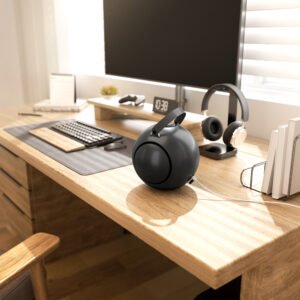
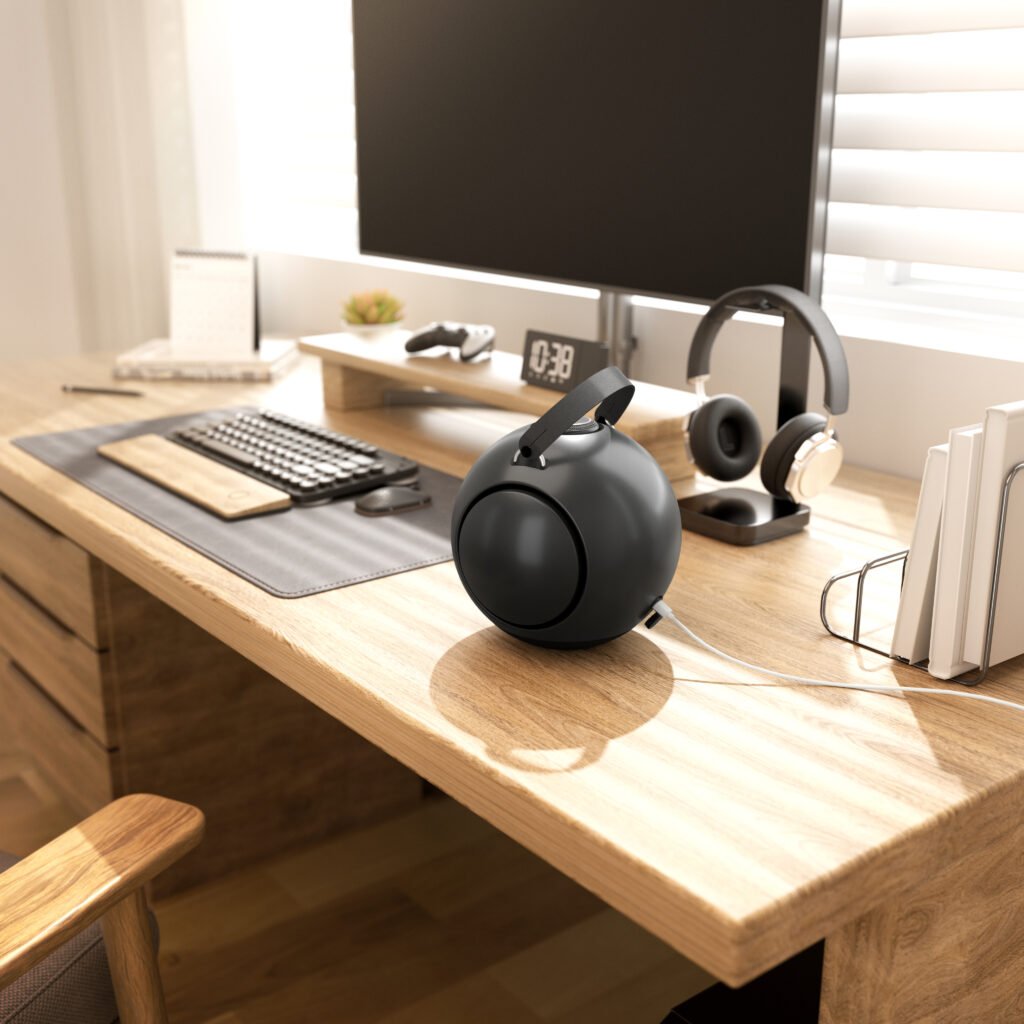
Acoustic Spotlight: UB+ dB1 DoubleBass
The UB+ dB1 DoubleBass uses a spherical acoustic enclosure featuring a Helmholtz-Inspired Chamber. Its design combines a central 4.5-inch mid-bass driver with two opposing passive radiator plates.
The chamber uses controlled internal air movement and resonance to support low-frequency reproduction. Pressure generated by the driver acts on the passive radiators, providing additional acoustic output through the enclosure’s mechanical architecture.
The combined passive radiator surface area is approximately 3.5 times the woofer area. Their opposing arrangement is intended to reduce some reaction forces transferred to the supporting surface, while the spherical enclosure supports 360-degree sound dispersion.
This design illustrates how enclosure geometry and mechanical acoustic loading can influence bass reproduction without relying exclusively on electronic bass enhancement.
For office use, these characteristics are relevant to sound distribution and low-frequency control. However, the dB1 is a music-focused speaker, not a dedicated conference speakerphone with an integrated microphone array and echo-cancellation system.
Power Efficiency and Thermal Reliability
An office speaker may operate for several hours each day. Its amplifier, battery, charging circuit, and digital electronics must therefore manage heat and electrical demand reliably.
Class D amplification is common in portable speakers because it can achieve high power-conversion efficiency in compact designs.
However, efficiency depends on operating conditions, load impedance, output level, and circuit implementation.
Thermal management may include temperature monitoring, current limiting, undervoltage protection, and thermal shutdown or output reduction.
Battery-powered models also require a Battery Management System (BMS) to monitor charging and discharging conditions.
When comparing office speakers, consider:
- Whether the battery can support a typical work session.
- Whether the speaker can operate while charging.
- How much heat it produces during extended playback.
- Whether its charging system includes appropriate protection.
- Whether the manufacturer provides battery service or replacement guidance.
A speaker designed for occasional portable use may have different power-management priorities from a desktop device intended to operate for most of the working day.
Choosing Between a Music Speaker and a Professional Speakerphone
This decision deserves particular attention because the two product categories are often confused.
A music-focused Bluetooth speaker may have larger drivers, more extensive bass reproduction, and a stronger emphasis on entertainment. A professional speakerphone prioritizes microphone pickup, voice processing, echo cancellation, and meeting controls.
| Feature | Music-focused Bluetooth speaker | Professional speakerphone |
| Main purpose | Music, podcasts, and general playback | Voice communication |
| Driver architecture | Often optimized for full-range reproduction | Optimized for intelligible speech and meeting audio |
| Microphone array | Usually absent | Commonly included |
| Acoustic echo cancellation | Not typically included | Important feature |
| Noise suppression | May be limited | Often included |
| Bass performance | May be a major design priority | Usually secondary |
| Meeting controls | May be unavailable | Often includes mute and call controls |
| Best use | Individual listening and entertainment | Virtual meetings and group communication |
Some products combine both categories, but the presence of Bluetooth does not make a speaker a conference device.
If employees frequently use Zoom, Microsoft Teams, or Google Meet, check the supported audio input and output modes, microphone specifications, and operating-system compatibility before purchasing.
How to Evaluate Office Speaker Specifications
Specifications are useful only when their meaning is understood.
| Specification | Technical meaning | What to investigate |
| Frequency response | Reproduced frequency range | Measurement tolerance and response consistency |
| THD | Unwanted harmonic components | Measurement level and frequency |
| SPL | Sound-pressure level | Distance and measurement conditions |
| Bluetooth codec | Wireless audio encoding format | Compatibility with source devices |
| Latency | Audio delay through the system | Complete device-to-speaker performance |
| Battery capacity | Stored electrical energy | Watt-hours and real-world runtime |
| Microphone sensitivity | Microphone response to incoming sound | Pickup distance and noise behavior |
| Polar pattern | Directional sensitivity of a microphone | Coverage of the intended meeting area |
| IP rating | Resistance to specified environmental exposure | Exact certified protection level |
A higher wattage rating does not necessarily indicate better sound quality. Similarly, a high microphone sensitivity figure does not guarantee clear voice capture in a noisy room.
Look for meaningful test information and evaluate the complete system.
Practical Testing Before Making a Purchase
A short listening test can reveal more than a long list of marketing claims.
Test Speech at Different Distances
Play a familiar interview or presentation. Listen from your normal desk position and from other locations where people may sit.
Check whether speech remains clear without excessive volume.
Test Microphone Performance Separately
If the device includes a microphone, make a test call using the software and computer you expect to use.
Listen for echo, background noise, clipping, and changes in voice level. A microphone that sounds acceptable in a quiet room may perform differently in an open office.
Test Device Switching
Connect a laptop and smartphone if the speaker supports multipoint pairing. Test how the speaker handles incoming calls and switching between playback sources.
Check Wireless Stability
Use the device in the actual office environment. Nearby routers, computers, and other wireless equipment can affect performance.
Evaluate Long-Term Comfort
Listen to music or spoken content for an extended period at realistic volume. Check for harshness, excessive bass, distortion, and mechanical rattling.
Check Controls and Everyday Operation
Physical mute controls, volume adjustment, pairing indicators, and clear battery reporting can make a speaker easier to use throughout the workday.
What Makes an Office Speaker a Practical Long-Term Investment?
The value of an office speaker depends on how consistently it performs in daily use.
A device may offer advanced codec support or high output power but still be inconvenient if it disconnects frequently, has confusing controls, or cannot connect properly to workplace computers.
A practical evaluation should include:
- Compatibility with existing laptops and smartphones.
- Stable Bluetooth performance.
- Suitable sound dispersion for the room.
- Clear playback at moderate volume.
- Appropriate microphone capabilities when required.
- Reliable charging and power management.
- Durable physical controls and connectors.
- Manufacturer support and firmware maintenance.
The best bluetooth speaker for the office should solve a specific workplace audio problem rather than simply add another connected device to the desk.
Frequently Asked Questions
Is a Bluetooth speaker suitable for professional office meetings?
It can be suitable for reproducing meeting audio, but a standard music speaker may not include a microphone or echo cancellation. For regular group meetings, a dedicated speakerphone is generally more appropriate.
What is acoustic echo cancellation in a speakerphone?
AEC is a signal-processing technology that reduces the sound picked up by a microphone from the device’s own speaker output. It helps prevent remote participants from hearing their voices repeated during a call.
Is Bluetooth multipoint useful in an office?
Yes. Multipoint can allow a speaker to maintain connections with two or more compatible devices, making it easier to switch between a work laptop and personal smartphone. Actual switching behavior depends on the product.
Does Wi-Fi provide better office audio than Bluetooth?
Wi-Fi can support network-based streaming and synchronized multiroom systems, while Bluetooth is usually simpler for direct playback from a nearby device. The better option depends on the workspace and intended application.
How important is microphone beamforming?
Beamforming can help prioritize voices arriving from selected directions and reduce some unwanted background sound. Its effectiveness depends on microphone quality, array design, room acoustics, and processing algorithms.
Can DSP improve speech clarity?
Yes. Properly implemented DSP can apply equalization, noise suppression, automatic gain control, and echo cancellation. However, these functions must be designed carefully because excessive processing can make speech sound unnatural.
What is a suitable speaker for a small private office?
A compact Bluetooth speaker with balanced frequency response, reliable connectivity, and convenient controls is often sufficient. If video meetings are frequent, consider a separate microphone or a dedicated speakerphone.
Should an office speaker have 360-degree sound?
Not necessarily. Broad dispersion is useful when several people need to listen from different positions. A directional speaker may be more suitable for an individual workstation where controlling sound direction is important.
Final Thoughts
Workplace audio performance depends on more than driver size, amplifier power, or Bluetooth version. Microphone architecture, acoustic echo cancellation, beamforming, DSP, latency, room reflections, and wireless connection management all influence how effectively a speaker performs in a professional environment.
The first step is identifying whether the main requirement is music playback, personal listening, or group communication. From there, acoustic design and connectivity specifications can be evaluated against the actual workspace.
A carefully selected office speaker should provide clear speech, balanced music reproduction, dependable wireless operation, and comfortable listening levels. When the acoustic and electronic systems are designed around these practical requirements, audio becomes a useful part of the workplace rather than another source of distraction.