
The gaming industry witnessed a revolutionary shift when Microsoft launched the Xbox Adaptive Controller (XAC). This device represents more than just a peripheral; it serves as a gateway for gamers who face physical limitations with traditional controllers. If you want to explore accessibility in gaming or optimize your personal gaming setup, this comprehensive guide provides all the essential information.
Understanding the Xbox Adaptive Controller
Microsoft designed the Xbox Adaptive Controller specifically for individuals with limited mobility or physical disabilities. While traditional controllers feature small, tightly packed buttons, the XAC functions as a Unified Hub. Its rectangular, flat design and large programmable buttons make it the most flexible gaming gear available today.
The development process involved close collaboration with organizations like The AbleGamers Charity and SpecialEffect. This partnership ensured that the hardware meets the diverse needs of the community. The core strength of this device lies in its plug-and-play architecture, which allows users to connect a wide array of third-party assistive switches and joysticks.
Technical Specifications: What’s Under the Hood?
Both users and search engines value technical precision. The hardware quality and diverse connectivity options set the Xbox Adaptive Controller apart from standard equipment.
Physical Design and Dimensions
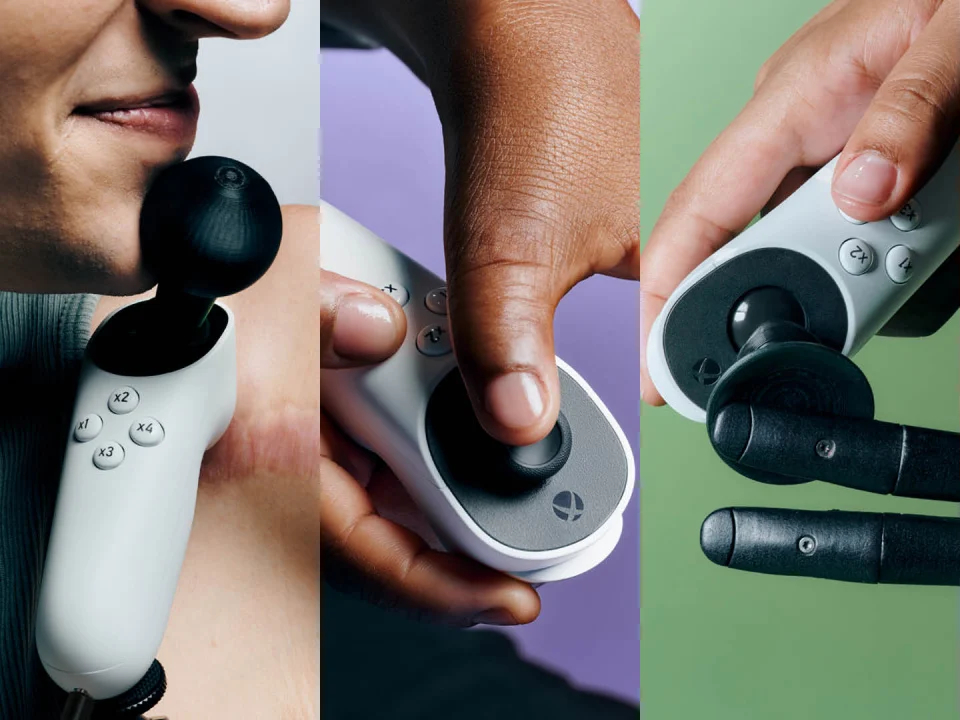
The controller features a large footprint to ensure stability on any flat surface. It measures 292mm in length, 130mm in width, and 23mm in height. Weighing approximately 552 grams, it remains steady even during intense gameplay. The front panel hosts two large “Domed Buttons” that default to ‘A’ and ‘B’ functions, which users can activate with very light pressure.
Port Connectivity
The versatility of the XAC stems from its extensive port array. The back of the device features 19 (nineteen) 3.5mm jacks. Each jack represents a specific controller input (such as X, Y, RB, LB, or the D-pad). Additionally, the device includes:
-
Two USB 2.0 Ports: These ports support external joysticks and HID-compliant devices.
-
3.5mm Headset Jack: This allows for standard audio output and voice communication.
-
USB-C Port: Users utilize this for both charging and low-latency wired connections.
-
DC Power Port: This provides necessary power for energy-intensive external accessories.
Step-by-Step Setup Guide
Follow these steps to successfully connect and configure your device across different platforms.
1. Connecting to Xbox Series X|S or Xbox One
Connecting to an Xbox console is straightforward. You can choose between two primary methods:
-
Wireless Connection: Press the ‘Pair’ button on the controller and hold the pair button on the console. The connection is successful when the Xbox button light stays solid.
-
Wired Connection: Use the included 9-foot USB-C cable to link the controller directly to the console’s USB port.
2. Setting Up on Windows 10/11 PC
To set up on a PC, you require either Bluetooth or a USB-C cable. For Bluetooth, navigate to Windows Settings, select ‘Add Device,’ and choose the Xbox Adaptive Controller from the list. For the best experience, Microsoft recommends installing the Xbox Accessories App to manage updates.
3. Using the Xbox Accessories App
This application acts as the brain of your setup. Through this interface, you can:
-
Perform Button Remapping: Map any external switch to any standard controller button.
-
Create Custom Profiles: Save up to three distinct profiles and switch between them instantly using the physical ‘Profile’ button on the controller.
-
Adjust Stick Sensitivity: If you use an external analog stick, you can fine-tune deadzones and response curves.
Advanced Features: Copilot and External Integration
The Xbox Adaptive Controller reveals its true potential through advanced software features and modular expansion.
The Power of Copilot Mode
The Copilot feature links two controllers so they act as one. This allows one player to use the XAC while another player assists using a standard Xbox controller. This collaborative mode proves invaluable for parents, caregivers, or friends playing together.
External Switches and Joysticks
The XAC supports a vast range of industry-standard switches, including ‘Sip-and-Puff’ systems, foot pedals, and ultra-sensitive finger switches. Any peripheral with a 3.5mm mono plug will interface seamlessly with the controller’s input jacks.
Mounting Options for Comfort
Microsoft integrated specific mounting points to accommodate various physical setups:
-
Tripod Mount: A standard 1/4-20 screw hole on the bottom works with most camera tripods.
-
AMPS Mount: Two #10-24 screw holes allow for secure attachment to wheelchair mounts or professional AMPS mounting plates.
Pros and Cons: A Balanced View
| Pros | Cons |
| Unmatched customization options | External switches sold separately (higher total cost) |
| Native multi-platform support | Large footprint makes it less portable |
| Copilot mode for collaborative play | Complex initial setup for beginners |
| Universal 3.5mm port compatibility | Some heavy accessories require extra DC power |
Conclusion: Is It Worth It?
The Xbox Adaptive Controller transcends the definition of a simple gaming accessory; it stands as a symbol of inclusivity. By removing physical barriers, it opens the doors to the vast Xbox ecosystem for millions of people. While the cost of external switches can add up, the independence and joy it brings to the gaming experience make it an essential investment for accessible gaming.
Read more: Cash For All Car Brands Brisbane Scrap Car Buying Process