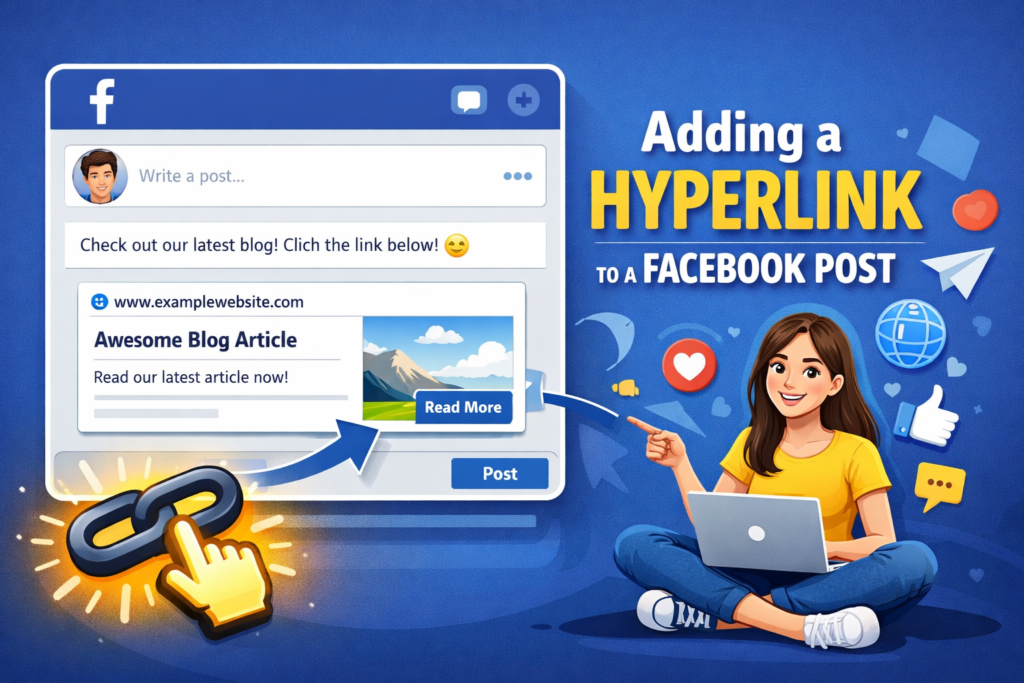
Adding a Hyperlink to a Facebook Post
Adding a hyperlink to a Facebook post is one of the simplest yet most powerful ways to drive traffic, share information, and increase engagement. Whether you are a business owner, content creator, marketer, or casual user, knowing how to correctly add and optimize links can significantly improve your results.
In this detailed guide, you will learn everything about adding hyperlinks to Facebook posts—from basic steps to advanced strategies, SEO-friendly practices, and common mistakes to avoid.
What Does Adding a Hyperlink to a Facebook Post Mean?
A hyperlink in a Facebook post is a clickable URL that directs users to another page. This page can be a website, blog post, YouTube video, product page, landing page, or even another social media profile.
When you add a link to a post on Facebook, the platform automatically generates a link preview. This preview often includes a title, description, and image, making your post more attractive and clickable.
Why Adding a Hyperlink to a Facebook Post Is Important
Adding hyperlinks is not just about sharing URLs. It plays a key role in content performance and digital growth.
Key Benefits of Adding Hyperlinks
-
Drives targeted traffic to your website
-
Increases brand visibility and awareness
-
Helps share valuable resources quickly
-
Boosts engagement such as likes, comments, and shares
-
Supports marketing and sales goals
For businesses, links help turn Facebook into a traffic source. For bloggers, links bring readers. For creators, links connect audiences to more content.
How to Add a Hyperlink to a Facebook Post (Step-by-Step)
Adding a hyperlink to a Facebook post is easy and does not require any technical skill.
Step 1: Open the Post Box
Go to your Facebook profile, page, or group and click on “What’s on your mind?”
Step 2: Paste the URL
Simply paste the full URL into the post box. For example:
“https://example.com”
Facebook will automatically fetch link data and show a preview.
Step 3: Customize Your Text
Write a short, engaging description above or below the link. Explain why users should click.
Step 4: Adjust the Link Preview (Optional)
You can delete the visible URL after the preview loads. The clickable preview will remain active.
Step 5: Publish the Post
Click “Post,” and your hyperlink will be live.
Adding a Hyperlink to a Facebook Post on Mobile
The process is almost identical on mobile devices.
-
Open the Facebook app
-
Tap “Create post”
-
Paste the link
-
Add text
-
Wait for the preview
-
Tap “Post”
Mobile users see the same clickable link preview as desktop users.
Adding a Hyperlink Without Showing the URL
Many users want clean-looking posts without long URLs.
How to Do It
-
Paste the link into the post
-
Wait until the preview appears
-
Delete the raw URL text
-
Keep the preview card
The link will still work, and your post will look more professional.
Best Practices for Adding Hyperlinks to Facebook Posts
Using links correctly can improve reach and engagement.
Write Clear Context
Always explain what the link is about. A short intro works better than dropping a link alone.
Use One Primary Link
Avoid adding multiple links in a single post. It can confuse users and reduce clicks.
Focus on Value
Tell users what they gain by clicking. Examples include tips, solutions, guides, or offers.
Use High-Quality Images
If your link preview image looks blurry or irrelevant, update the page’s metadata.
SEO Impact of Adding Hyperlinks to Facebook Posts
While Facebook links are usually “nofollow,” they still play a role in SEO indirectly.
How Links Help SEO
-
Increase content visibility
-
Drive referral traffic
-
Improve brand signals
-
Support content distribution
When people click, share, and engage with your links, it sends positive signals that can help overall digital performance.
Adding a Hyperlink in Facebook Comments
Sometimes links work better in comments, especially for organic reach.
Why Use Comments for Links
-
Keeps the main post clean
-
Encourages discussion
-
Reduces link suppression concerns
Simply paste the URL into the first comment after publishing your post.
Adding a Hyperlink to a Facebook Page Post
Business pages use hyperlinks for promotions and announcements.
Tips for Pages
-
Add links with clear call-to-action
-
Test different captions
-
Use tracking links if needed
-
Monitor insights for performance
Page posts with value-driven links often perform better than plain text posts.
Adding Hyperlinks in Facebook Groups
Groups are highly engagement-focused.
Best Group Practices
-
Follow group rules
-
Add context before links
-
Avoid spammy behavior
-
Answer questions with helpful links
Helpful links in groups build trust and authority.
Common Mistakes to Avoid When Adding Hyperlinks
Even simple link posts can fail if done incorrectly.
Mistakes to Watch Out For
-
Posting links without context
-
Using broken or shortened spam links
-
Overposting promotional links
-
Ignoring preview quality
-
Using misleading descriptions
Avoid these mistakes to maintain credibility and engagement.
How to Fix Link Preview Issues on Facebook
Sometimes Facebook shows the wrong image or title.
Common Fixes
-
Clear page cache
-
Use Facebook’s link debugger
-
Ensure correct meta tags
-
Update featured images
A clean preview increases click-through rates.
Using Call-to-Action with Hyperlinks
A strong call-to-action improves results.
Examples of Effective CTAs
-
“Read the full guide here”
-
“Click to learn more”
-
“Visit the link for details”
-
“Check it out now”
CTAs guide users toward action.
Adding Hyperlinks to Boost Business Marketing
For businesses, hyperlinks are essential tools.
Business Uses
-
Drive traffic to landing pages
-
Promote blog content
-
Share product links
-
Collect leads
-
Announce offers
Consistent linking builds long-term growth.
Adding Hyperlinks for Content Creators and Bloggers
Creators rely on traffic.
Creator Tips
-
Share blog links with summaries
-
Link to videos and podcasts
-
Use storytelling with links
-
Track engagement metrics
Links help turn followers into readers or viewers.
Measuring the Performance of Hyperlinks
Tracking helps improve strategy.
What to Monitor
-
Click-through rates
-
Engagement levels
-
Referral traffic
-
Conversion results
Use insights to refine future posts.
Are Hyperlinks Safe to Use on Facebook?
Yes, as long as they follow platform rules.
Safety Tips
-
Avoid suspicious links
-
Use secure HTTPS URLs
-
Do not mislead users
-
Respect community standards
Safe links protect your account and audience.
Frequently Asked Questions About Adding Hyperlinks
Can I Add a Clickable Word Instead of a URL?
Facebook does not support anchor text like websites. The link preview or URL is clickable.
Do Links Reduce Reach?
Quality links with engagement usually perform well. Low-quality or spam links may reduce reach.
Can I Edit a Link After Posting?
You can edit text but cannot change the link preview once published.
Final Thoughts on Adding a Hyperlink to a Facebook Post
Adding a hyperlink to a Facebook post is a simple skill with powerful results. When done correctly, it increases visibility, drives traffic, and supports personal or business goals. Focus on clarity, value, and consistency. Avoid spam, write meaningful captions, and always think about the user experience.