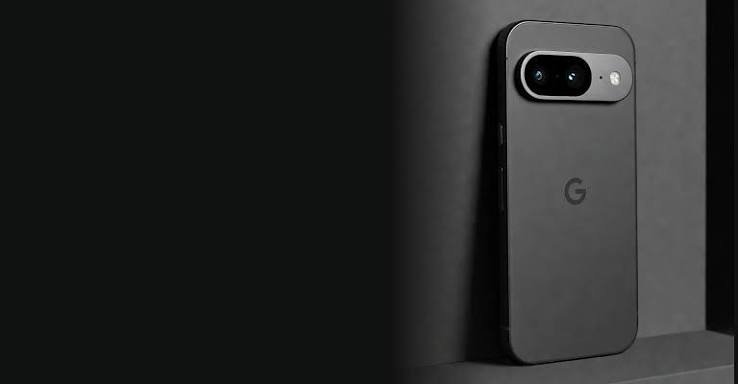
ZeroGhost is marketed as a privacy-focused smartphone configured with GrapheneOS.
Introduction
ZeroGhost Mobile Privacy is a relevant topic for people researching smartphones designed around privacy, security, and user control. ZeroGhost is presented as a privacy-focused smartphone configured with GrapheneOS, an open-source mobile operating system built with an emphasis on security and privacy.
Smartphones have become essential tools for communication, banking, shopping, entertainment, navigation, and everyday work. However, the convenience of mobile technology also raises important questions about personal information, app permissions, location tracking, and digital security. For users who want greater control over their data, choosing a smartphone with a privacy-focused operating system can be an important consideration.
But how does a privacy-focused smartphone approach data protection? What role does GrapheneOS play, and which features should buyers investigate before making a purchase?
This guide examines ZeroGhost, explains the broader principles behind mobile privacy, and outlines practical ways users can reduce unnecessary data exposure. It also covers app permissions, operating system security, private browsing, software updates, and common questions buyers may have before choosing a privacy-oriented device.
It is important to distinguish between privacy-focused design and complete anonymity. No smartphone can eliminate every digital risk, and the protection available depends on the device configuration, installed applications, user behavior, and the services being accessed.
What Is ZeroGhost?
ZeroGhost is marketed as a privacy-focused smartphone configured with GrapheneOS, an open-source operating system designed with mobile security, privacy, and user control in mind.
Unlike a smartphone discussion focused mainly on camera quality, screen size, or processing speed, a privacy-focused phone places greater emphasis on how the device handles applications, permissions, personal information, and potential security threats.
The central idea behind ZeroGhost Mobile Privacy is to make privacy and security important parts of the smartphone experience rather than relying exclusively on individual applications to protect personal information.
However, buyers should verify the current ZeroGhost hardware specifications, exact operating system configuration, supported services, update arrangements, and warranty details directly with the seller.
GrapheneOS is an independent open-source operating system project. Its security characteristics should not automatically be interpreted as proof that every device marketed as using GrapheneOS has been installed, configured, or maintained correctly.
When evaluating ZeroGhost, buyers should establish precisely what software is installed, how updates are delivered, and whether the device is supported by the operating system project.
What Is GrapheneOS, and Why Does It Matter?
GrapheneOS is an open-source operating system based on Android that focuses on improving security and privacy on supported devices.
An operating system influences how applications interact with the device, how system resources are protected, and how security updates are implemented. These functions matter because a smartphone can store or access highly sensitive information, including personal messages, photographs, financial applications, contacts, and authentication credentials.
GrapheneOS emphasizes several areas of security, including application isolation, memory safety improvements, exploit mitigation, and user control over certain permissions and services.
Application Sandboxing
Application sandboxing separates applications so that one app cannot freely access another app’s private data simply because it is installed on the same phone.
Android already uses application sandboxing, and GrapheneOS adds further security enhancements in supported configurations. This layered approach can help reduce the potential damage caused by a vulnerable or malicious application.
For example, a simple calculator application should not need unrestricted access to a user’s contacts, microphone, or location. Application isolation and permission controls help limit unnecessary access.
Security Hardening
Security hardening involves strengthening software and system behavior to make exploitation more difficult.
GrapheneOS includes additional security-focused features and improvements intended to reduce certain attack opportunities. These measures can make a properly supported device more resilient against some threats.
Nevertheless, security hardening does not guarantee that a device cannot be compromised. Sophisticated attacks, compromised accounts, unsafe downloads, and social engineering remain relevant risks.
User Control
Privacy settings are most useful when users can understand and manage them.
GrapheneOS provides various security and privacy controls that allow users to manage aspects of application behavior and system configuration. The exact options available depend on the device, operating system version, and configuration.
For ZeroGhost buyers, the important question is whether these controls are available, correctly configured, and explained clearly by the seller.
How Does ZeroGhost Mobile Privacy Help Protect Personal Information?
A privacy-focused smartphone can support better data protection through multiple layers of security. These layers work together rather than relying on one setting or application.
1. Greater Control Over Application Permissions
Many applications request access to personal information or hardware features such as the camera, microphone, contacts, and location.
Some permissions are essential to an application’s main purpose. Others may be unnecessary for the function a user wants to perform.
A privacy-conscious setup encourages users to review these requests carefully.
For example:
- A navigation app may need location access while providing directions.
- A messaging app may need microphone access for voice calls.
- A photo-editing app may need access to selected photographs.
- A basic note-taking app may not need continuous location access.
Reviewing permissions helps reduce unnecessary data exposure. Where supported, use limited or temporary access instead of granting broad permissions indefinitely.
The exact controls available on a ZeroGhost device depend on its configuration and installed operating system version.
2. Improved Application Isolation
Application isolation helps prevent apps from accessing data belonging to other applications without authorization.
This matters when a smartphone contains both sensitive and everyday applications. A malicious or compromised app should not automatically be able to read private information stored by unrelated apps.
GrapheneOS builds on Android’s security architecture with additional hardening measures. However, isolation does not prevent every form of data collection. An app may still collect information that the user has permitted it to access or that the user voluntarily submits to an online service.
3. Protection Against Certain Exploitation Techniques
Smartphones can be targeted through malicious links, unsafe files, software vulnerabilities, and compromised applications.
Security features designed to reduce exploitation opportunities can make certain attacks more difficult. GrapheneOS includes multiple security enhancements intended to strengthen supported devices against a range of threats.
For buyers researching ZeroGhost Mobile Privacy, it is worth checking which device model is supported and whether its software receives current security updates.
A privacy-focused operating system is only one part of the security picture. Timely updates, safe browsing habits, and careful account management remain important.
4. More Deliberate Use of Google Services
Some users prefer to limit their reliance on Google services or separate applications according to their privacy needs.
GrapheneOS supports an optional compatibility layer for Google Play services that runs them as ordinary sandboxed applications rather than granting them the privileged system integration found in some conventional Android configurations.
This distinction can be useful for people who need certain applications while wanting a different security model.
However, using Google services or other cloud-connected applications may still involve transmitting information to those services. The actual data collected depends on the application, account settings, permissions, and service policies.
Buyers should ask how ZeroGhost is configured and whether common applications work as expected.
5. Better Awareness of Digital Exposure
Privacy is not just about the operating system. It also depends on how people use their devices.
A privacy-focused smartphone can encourage more deliberate decisions about application installation, account access, cloud backups, and permissions.
For example, users can avoid installing unfamiliar apps, disable unnecessary background access where practical, and review which services have permission to use location data.
These habits can reduce some avoidable risks, regardless of the phone model.
Key Privacy Features Buyers Should Investigate
When researching ZeroGhost, consider the following areas rather than relying on broad descriptions such as secure, private, or anonymous.
Operating System Authenticity
Confirm the exact operating system installed on the device. Ask whether the phone runs an official, supported GrapheneOS installation and whether its configuration follows the project’s documented installation and security practices.
Buyers should also understand whether the seller has modified system components or added applications that affect the original security model.
Security Updates
Operating system and application updates can address newly discovered vulnerabilities.
Before purchasing ZeroGhost, confirm how updates are delivered, whether users can install them directly through the supported update mechanism, and whether the underlying hardware remains eligible for security support.
Avoid assuming that the seller’s advertised update policy is identical to the operating system project’s official support policy.
Boot Integrity
Secure boot mechanisms help verify that the software loaded during startup is authorized and has not been improperly modified.
GrapheneOS supports security features related to verified boot on compatible hardware. Buyers should verify that the specific ZeroGhost device preserves the relevant security mechanisms and that its bootloader configuration is appropriate.
A seller should be able to explain the device’s installation and boot-integrity status clearly.
Application Compatibility
Privacy-focused operating systems may support many common applications, but compatibility can vary.
Some apps depend on specific Google services, device integrity checks, digital rights management, or other proprietary components. As a result, certain banking, streaming, payment, or workplace applications may behave differently.
Before purchasing ZeroGhost, make a list of essential applications and confirm their compatibility with the device’s exact configuration.
Warranty and Technical Support
A device’s practical value depends partly on support after purchase.
Check the warranty, repair arrangements, return policy, update guidance, and availability of technical assistance. Confirm whether software changes affect the warranty and how troubleshooting is handled.
Clear documentation can be especially important for a smartphone using a specialized operating system configuration.
ZeroGhost Compared With a Conventional Smartphone
A privacy-focused smartphone and a conventional smartphone may share many basic functions, including calling, messaging, photography, browsing, and application installation. Their differences may lie in operating system design, default configurations, available controls, and the user’s ability to manage security settings.
| Area | Privacy-focused setup | What buyers should consider |
|---|---|---|
| Operating system | May use a security-hardened system such as GrapheneOS | Verify the actual installation and supported hardware |
| Application permissions | May provide additional privacy controls | Review permissions instead of granting access automatically |
| Application isolation | Uses sandboxing and additional hardening where supported | Sandboxing reduces risk but does not prevent all data collection |
| Google services | May allow optional sandboxed Google Play services | Some apps may still send data to Google or other providers |
| Security updates | Depends on supported hardware and update delivery | Confirm the update path and support period |
| App compatibility | May differ from standard Android configurations | Check essential apps before purchasing |
| Privacy outcomes | Can reduce some risks through layered controls | Does not guarantee anonymity or complete protection |
The best choice depends on the user’s priorities, technical comfort, required applications, and threat model.
Someone who primarily wants convenience may prefer a conventional phone with carefully configured privacy settings. Someone who places a higher priority on operating system security and granular control may wish to evaluate a supported GrapheneOS device.
Explore ZeroGhost Today – https://zero-ghost.com
Who May Consider ZeroGhost?
ZeroGhost may appeal to users who want to investigate mobile privacy more seriously and prefer a device marketed around security and control.
Privacy-Conscious Professionals
People who use smartphones for work may store confidential documents, business contacts, and communication records.
A security-focused operating system can be one component of a broader security strategy. Professionals should also follow workplace policies, use strong authentication, and separate personal and business information where appropriate.
Frequent Travelers
Travelers may access public networks, unfamiliar websites, booking services, and temporary communication channels.
A well-maintained smartphone with appropriate security settings can help reduce certain risks. Users should still avoid unknown charging accessories, suspicious links, and untrusted applications.
Technology Enthusiasts
People interested in open-source software, operating system security, and mobile customization may appreciate investigating GrapheneOS and its security architecture.
They should be prepared to check compatibility and understand how the device is maintained.
Users Who Want More Control Over Apps
People who prefer to review application permissions and minimize unnecessary data access may find a privacy-oriented setup relevant.
However, privacy controls require informed use. Installing many applications, granting broad permissions, and signing into numerous cloud services can still create substantial data exposure.
Practical Tips for Improving Smartphone Privacy
Whether using ZeroGhost or another device, the following habits can improve everyday mobile security.
Use Strong Screen Authentication
Set a strong passcode and use the device’s supported biometric options according to your needs.
Avoid easily guessed codes such as birthdays or simple number sequences. A strong passcode can help protect local information if a phone is lost or stolen.
Keep Software Updated
Install operating system and application updates promptly from trusted sources.
Updates may fix security vulnerabilities, improve stability, and strengthen privacy protections. Do not assume that a phone is secure simply because it was configured with a privacy-focused operating system when purchased.
Review Permissions Regularly
Periodically check which apps can access your camera, microphone, location, contacts, and files.
Remove permissions that are no longer needed and uninstall applications you do not trust or use.
Download Apps Carefully
Install applications from trusted sources and verify the publisher before downloading.
Be cautious of applications distributed through unknown websites, unsolicited messages, or suspicious advertisements. An app’s presence in a store does not guarantee that it is completely safe.
Use Multifactor Authentication
Enable multifactor authentication for important accounts where available.
A password manager can help generate and store unique passwords, reducing the risk associated with password reuse. Protect recovery methods carefully as well.
Review Cloud and Backup Settings
Cloud services can improve convenience, but the information they receive depends on the service and configuration.
Review which photographs, contacts, messages, and documents are synchronized. Understand the provider’s privacy policy and available encryption options before storing sensitive information.
Be Careful With Public Wi-Fi
Use caution when connecting to unfamiliar wireless networks. Avoid ignoring browser security warnings, and consider a reputable VPN when it suits your threat model.
A VPN can hide some network activity from the local network operator, but it does not make you anonymous or prevent websites and applications from collecting information you provide directly.
Protect Your Accounts From Phishing
Many security incidents begin when users are tricked into entering credentials or installing malicious software.
Check website addresses carefully, avoid unexpected attachments, and never share authentication codes with people who contact you unexpectedly.
Does ZeroGhost Make You Completely Anonymous?
No. A privacy-focused smartphone cannot guarantee complete anonymity.
Even a well-secured operating system cannot control every action performed by websites, applications, network providers, or online services. Logging into a personal account, sharing identifying information, or allowing an app to access location data may still reveal information about you.
It is helpful to distinguish between three concepts:
- Privacy: Controlling what information is collected, shared, or exposed.
- Security: Protecting devices, accounts, and information against unauthorized access.
- Anonymity: Making it difficult to connect an activity to a particular person.
These goals overlap, but they are not interchangeable.
GrapheneOS can strengthen aspects of device security and provide privacy-related controls. ZeroGhost’s actual protection depends on its installation, configuration, maintenance, and the services the user chooses to access.
People with particularly sensitive needs should identify their likely threats and consider whether they need additional measures, such as secure communication tools, separate accounts, or specialist advice.
What Should Buyers Check Before Ordering ZeroGhost?
Before purchasing a privacy-focused smartphone, review the following points.
1. Hardware specifications: Confirm the exact device model, storage capacity, supported network bands, and physical condition.
2. Operating system details: Ask whether the device runs an official, supported GrapheneOS installation and whether any modifications have been made.
3. Update arrangements: Verify how security updates are delivered and whether the underlying hardware remains supported.
4. Essential application compatibility: Check whether your banking, messaging, navigation, work, and payment applications function properly.
5. Warranty and returns: Review the seller’s warranty terms, refund policy, repair options, and return conditions.
6. Privacy documentation: Look for clear information about preinstalled applications, system configuration, and any services that may collect user information.
7. Price and ongoing costs: Compare the full purchase price and any additional accessories, subscriptions, or support fees.
8. Realistic claims: Be cautious of promises of complete anonymity, guaranteed protection against all attacks, or claims that a particular phone cannot be tracked.
A privacy-focused device should be evaluated through verifiable technical details, not only marketing language.
Frequently Asked Questions About ZeroGhost Mobile Privacy
1. What is ZeroGhost Mobile Privacy?
ZeroGhost Mobile Privacy refers to the privacy and security considerations associated with ZeroGhost, a smartphone marketed as configured with GrapheneOS. Buyers should verify the exact device configuration, supported hardware, and software update arrangements.
2. What is GrapheneOS?
GrapheneOS is an open-source operating system based on Android that emphasizes security and privacy. It includes additional security hardening and privacy controls for supported devices.
3. Does ZeroGhost prevent all data tracking?
No. A privacy-focused operating system cannot prevent every form of tracking or data collection. Websites, applications, online accounts, and network services may still collect information depending on user activity and configuration.
4. Can ZeroGhost run everyday applications?
Compatibility depends on the device’s configuration and the requirements of each application. Many Android applications may work, while some that depend on particular Google services or device-integrity checks may behave differently.
5. Is ZeroGhost suitable for beginners?
It may be suitable for users willing to review privacy settings and understand the device’s limitations. Beginners should check the setup instructions, application compatibility, update process, and support arrangements before purchasing.
6. How does app sandboxing improve security?
Application sandboxing separates apps and restricts their access to protected data and system resources. This can reduce the impact of some malicious or compromised applications, although it does not prevent every threat.
7. Does a privacy-focused phone need regular updates?
Yes. Security updates remain important because new vulnerabilities are discovered over time. Buyers should verify that the hardware and operating system configuration receive supported updates.
8. Is GrapheneOS the same as being anonymous online?
No. GrapheneOS focuses on operating system security and privacy. Online anonymity also depends on applications, accounts, network behavior, and the information a user shares.
9. What should I check before buying ZeroGhost?
Verify the hardware, operating system installation, update policy, app compatibility, warranty, return terms, and seller documentation. Avoid relying solely on broad privacy claims.
10. Where can I find ZeroGhost product information?
Visit the official ZeroGhost website to review the available product information. Confirm the latest specifications, software configuration, support details, and purchasing terms before ordering.
Final Thoughts: Is ZeroGhost Worth Considering?
ZeroGhost may be worth researching for people who want a smartphone experience centered on privacy, security, and greater control over applications. Its association with GrapheneOS makes operating system configuration, application isolation, security hardening, and update support important areas to investigate.
However, buyers should verify that the specific device runs a supported and correctly configured installation. They should also confirm application compatibility, warranty arrangements, and how software updates are delivered.
The most effective approach to mobile privacy combines suitable technology with careful daily habits. Reviewing app permissions, maintaining current software, using strong authentication, and avoiding suspicious downloads can help reduce unnecessary exposure.
No device can guarantee complete anonymity or eliminate every digital threat. The right choice depends on the information you need to protect, the applications you use, and your personal security requirements.
For further product details, visit the official website:
Choose a smartphone based on verified technical information, realistic expectations, and the level of privacy and security that fits your needs.