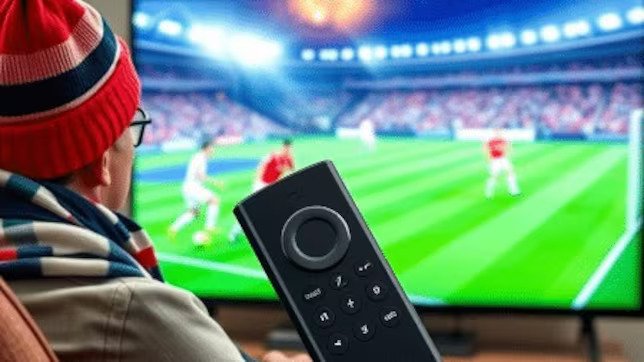
firestick iptv
Television has changed significantly as viewers have moved from traditional cable and satellite services toward internet-based streaming. Firestick IPTV is part of this shift, combining a compact Fire TV streaming device with compatible IPTV services that deliver television programming through an internet connection.
For viewers who already use a Firestick, IPTV can provide a convenient environment for accessing legitimate live television and other internet-delivered content. Depending on the service, features may include live channels, electronic program guides, video-on-demand libraries, catch-up programming, favorites, search tools, and flexible viewing options.
However, getting the best experience requires more than simply installing an application. We need to understand how IPTV works, choose a legitimate provider, configure the Firestick correctly, maintain a stable network, and troubleshoot problems when they occur.
This complete guide covers the process from the initial setup through everyday streaming.
What Is IPTV?
IPTV stands for Internet Protocol Television. It describes television programming delivered through internet networks rather than traditional broadcast, cable, or satellite delivery methods.
Instead of receiving a television signal through conventional infrastructure, an IPTV service sends compatible content over an internet connection. A supported application on a streaming device can then receive and display that content.
IPTV can support several forms of entertainment, including:
- Live television
- On-demand programming
- Television series
- Movies
- News
- Documentaries
- International programming
- Catch-up content where supported
The exact content depends on the provider and its licensing agreements.
Why Use IPTV on a Firestick?
The Firestick is designed specifically for streaming, making it a natural platform for compatible IPTV applications.
Its compact size means that we can connect it to a television without installing a large set-top box. The Fire TV interface also provides access to a broad range of legitimate streaming applications.
The combination can offer several advantages.
Simple Hardware
The Firestick requires relatively little physical space and can turn a compatible television into a connected entertainment screen.
Convenient Interface
The Fire TV interface is designed for remote control, making it practical for navigating streaming applications, searching for content, and managing installed services.
Flexible Entertainment
A Firestick can host multiple compatible entertainment applications. This allows us to use one device for different types of streaming instead of relying on separate hardware for every service.
Portable Setup
Because the Firestick is compact, it can be moved between compatible televisions when appropriate, although account and service restrictions should always be respected.
How to Prepare for Firestick IPTV Setup
Before setting up IPTV, we should prepare a few essential components.
1. Compatible Fire TV Device
We need a Firestick or compatible Fire TV device that supports the IPTV application we intend to use.
Application compatibility can vary, so checking the provider’s official requirements before subscribing is important.
2. Stable Internet Connection
IPTV relies on continuous internet connectivity.
A fast connection is helpful, but stability is equally important. Wi-Fi interference, network congestion, router placement, and other connected devices can affect playback.
3. Legitimate IPTV Service
We should select a service that has appropriate rights to distribute its programming.
The IPTV technology itself is legitimate, but individual providers can differ significantly in their licensing, transparency, reliability, and business practices.
4. Supported IPTV Application
The provider may offer its own application or support a compatible IPTV application.
We should follow the provider’s official instructions and avoid unknown or modified applications that may introduce security risks.
Firestick IPTV Setup: Step-by-Step
Step 1: Connect the Firestick
Connect the Firestick to an available HDMI port on the television and connect the appropriate power supply.
Turn on the television and select the HDMI input corresponding to the Firestick.
The Fire TV setup interface should appear.
Step 2: Connect to Wi-Fi
Open the Fire TV network settings and select the appropriate wireless network.
Enter the Wi-Fi password and wait for the device to establish a connection.
If possible, position the Firestick where it can receive a strong wireless signal.
Step 3: Sign In to the Fire TV Account
Follow the on-screen instructions to complete the Fire TV setup and sign in to the appropriate account.
This provides access to the Fire TV environment and its supported applications.
Step 4: Install the Supported IPTV Application
Identify the application officially supported by the IPTV service.
If it is available through the official Fire TV application ecosystem, install it through the standard process.
If the provider uses another installation method, follow its official documentation carefully.
We should avoid downloading modified applications or software from suspicious sources.
Step 5: Sign In to the IPTV Service
Open the IPTV application and enter the credentials or activation information supplied by the legitimate provider.
The exact login process varies between services.
If authentication fails, carefully verify the credentials and check that the subscription is active.
Step 6: Configure the Application
Once logged in, review the application’s available settings.
Depending on the application, these may include:
- Language
- Video quality
- Audio options
- Electronic Program Guide
- Favorites
- Subtitles
- Playback preferences
- Parental controls
- Content categories
We should configure only the settings that are relevant to our needs.
firestick iptv Subscription
A firestick iptv Subscription provides access to the programming offered by an IPTV provider.
When comparing subscriptions, we should not focus exclusively on channel counts. The overall quality of the service depends on several factors.
Content Availability
The first consideration should be whether the subscription provides the programming we actually want.
Channel availability can vary by region and licensing agreement.
We should review the provider’s current information before subscribing.
Streaming Reliability
A large channel catalog has little value if streams regularly fail or buffer.
We should look for providers that demonstrate transparent information about their service and provide reasonable customer support.
Video Quality
Depending on the provider and content, IPTV may support different video resolutions.
However, the actual viewing experience depends on the source quality, internet connection, device, application, and television.
A stable HD stream is generally preferable to a higher-resolution stream that constantly buffers.
Electronic Program Guide
An EPG, or Electronic Program Guide, can make live television significantly easier to navigate.
It can show current and upcoming programs, channel information, schedules, and other metadata.
If an IPTV application supports EPG functionality, we should configure and synchronize it where appropriate.
Customer Support
Reliable support is valuable when account or technical problems occur.
We should look for clear documentation and legitimate support channels before committing to a subscription.
Transparent Pricing
A subscription should clearly explain:
- Price
- Subscription period
- Renewal terms
- Included features
- Device limitations
- Cancellation conditions
- Refund policies
Transparent pricing makes it easier to compare services fairly.
Content Licensing
We should select IPTV providers that have the appropriate rights to distribute their programming.
Services that offer premium copyrighted content without credible licensing information should be treated cautiously.
Best Firestick IPTV Features
The features available depend on the IPTV service and application, but several options can improve the viewing experience.
Live TV
Live television allows us to watch programming as it is broadcast or streamed.
This remains one of the most important IPTV features.
Video on Demand
VOD allows viewers to choose available content without following a fixed broadcast schedule.
This can make IPTV more flexible for households with different viewing routines.
Catch-Up TV
Where supported, catch-up functionality allows selected programs to remain available after their original broadcast.
This can be useful when we miss a scheduled program.
Favorites
A favorites list can reduce the time spent searching through a large channel catalog.
We can save frequently watched channels and access them quickly.
Search
A good search function makes large libraries easier to navigate.
Instead of scrolling through categories, we can search for a specific channel or available program.
EPG
The electronic program guide provides useful scheduling information and makes live television feel more familiar.
Optimizing Firestick IPTV Performance
Correct setup is only the beginning. We should also optimize the device and network for everyday use.
Improve Wi-Fi
The Firestick should receive a stable Wi-Fi signal.
If the device is far from the router, moving the router or reducing obstacles can help.
We should also minimize unnecessary network activity during streaming.
Keep Fire TV Updated
Software updates can improve security, compatibility, and performance.
We should regularly check for available Fire TV updates and install legitimate updates when appropriate.
Update IPTV Applications
The supported IPTV application should also be kept current.
Updates can resolve bugs and improve compatibility with newer Fire TV software.
Maintain Storage
A Firestick with very limited storage can become difficult to manage.
Removing unused applications can free space and simplify the device.
Restart When Necessary
If the Firestick becomes sluggish or an application starts behaving unexpectedly, a restart can clear temporary software problems.
Firestick IPTV Picture and Audio Settings
The television experience depends partly on how the Firestick outputs video and audio.
Display Resolution
We should select a display configuration supported by the television.
Automatic options can be useful because they allow compatible devices to negotiate an appropriate output.
Forcing an unsupported resolution can create display problems.
Frame Rate Matching
Where supported, automatic frame-rate matching can help compatible content display with motion characteristics closer to the original source.
The feature should be tested with the television and application because compatibility varies.
HDR
If the television supports HDR, we should use appropriate automatic settings where available.
Not every IPTV stream is HDR, so forcing HDR for all content is not necessarily beneficial.
Audio Output
Audio settings should match the connected television, soundbar, or receiver.
Incorrect audio configuration can result in missing sound or compatibility problems.
Common Firestick IPTV Problems
Even a properly configured setup can encounter occasional problems.
Buffering
Buffering can be caused by network instability, congestion, Wi-Fi limitations, device performance, or problems with a particular stream.
We should test several channels and compare IPTV performance with other legitimate streaming services.
Application Crashes
If the IPTV application repeatedly crashes, we can check for updates, restart the device, clear temporary cache where supported, and verify compatibility.
Login Errors
We should verify account credentials and subscription status.
If the account is active but authentication still fails, the provider’s official support team may need to investigate.
Missing EPG Information
The EPG may need to refresh or synchronize.
If information remains missing, the provider may have an issue with its program data.
Poor Picture Quality
We should check network performance, application settings, source quality, and television configuration.
Increasing the Firestick’s output resolution cannot create higher-quality source material.
Firestick IPTV Security and Privacy
Security should be part of every streaming setup.
We should use strong passwords and install applications from trustworthy sources.
Unknown applications can introduce security risks, particularly when they request unnecessary permissions or account information.
We should also review the privacy policies of IPTV providers before entering personal or payment information.
Most importantly, we should choose legitimate services that have appropriate rights to distribute their content.
Is IPTV Legal on Firestick?
The Firestick is a legitimate streaming device, and IPTV is a legitimate technology for delivering television through internet networks.
The important distinction is the legality of the content distribution.
A legitimate IPTV provider obtains appropriate rights to distribute its programming. An unauthorized provider may distribute copyrighted content without permission.
Therefore, we should evaluate the provider rather than assuming that all IPTV services are equivalent.
How to Get the Best Firestick IPTV Experience
A reliable Firestick IPTV setup comes from several components working together.
We should:
- Use a compatible Fire TV device.
- Maintain a stable internet connection.
- Choose a transparent and legitimate IPTV provider.
- Install a supported application.
- Keep Fire TV software updated.
- Keep the IPTV application updated.
- Configure appropriate display and audio settings.
- Use the EPG and favorites features where available.
- Remove unnecessary applications.
- Troubleshoot network and device issues systematically.
The objective is not to make the setup unnecessarily complicated. Instead, we should create a simple, stable, and secure streaming environment.
The Future of Firestick IPTV
Internet-based television continues to evolve as viewers demand more flexible entertainment options.
The distinction between live television and on-demand streaming is becoming less significant. Modern viewers increasingly expect a single interface to provide live programming, on-demand content, search, personalized recommendations, and flexible viewing.
Firestick IPTV fits naturally into this broader transformation.
Future IPTV experiences are likely to emphasize improved content discovery, better application interfaces, more reliable streaming, enhanced personalization, and greater integration between different forms of internet entertainment.
Final Thoughts
The complete Firestick IPTV experience begins with choosing compatible hardware and a legitimate service, but it does not end with installation.
We need to maintain a stable internet connection, configure the Firestick appropriately, use a supported IPTV application, keep software updated, and understand how to troubleshoot common streaming problems.
A good firestick iptv Subscription should be evaluated according to more than the number of channels it advertises. Content licensing, reliability, video quality, EPG functionality, application compatibility, customer support, pricing, and privacy all deserve attention.
When these elements are combined properly, Firestick IPTV can provide a convenient way to access legitimate internet-delivered television and entertainment from a familiar television screen.
The key is simple: choose carefully, configure correctly, maintain the device, and use legitimate content sources. With those principles in place, we can create a smoother and more enjoyable streaming experience from setup to everyday viewing.
I can also create an image showing the complete Firestick IPTV setup-to-streaming process.