What Is Event Taxonomy? A Complete Guide for Analytics Teams
In today’s data-driven world, businesses collect massive amounts of user interaction data across websites, mobile apps, and digital platforms. However, collecting data alone is not enough—what truly matters is how structured, consistent, and meaningful that data is. This is where event taxonomy comes into play.
Event taxonomy is a foundational concept in analytics that helps organizations organize, standardize, and interpret user behavior data effectively. Whether you’re a marketer, product manager, or data analyst, understanding event taxonomy can significantly improve the quality of your insights and decision-making.
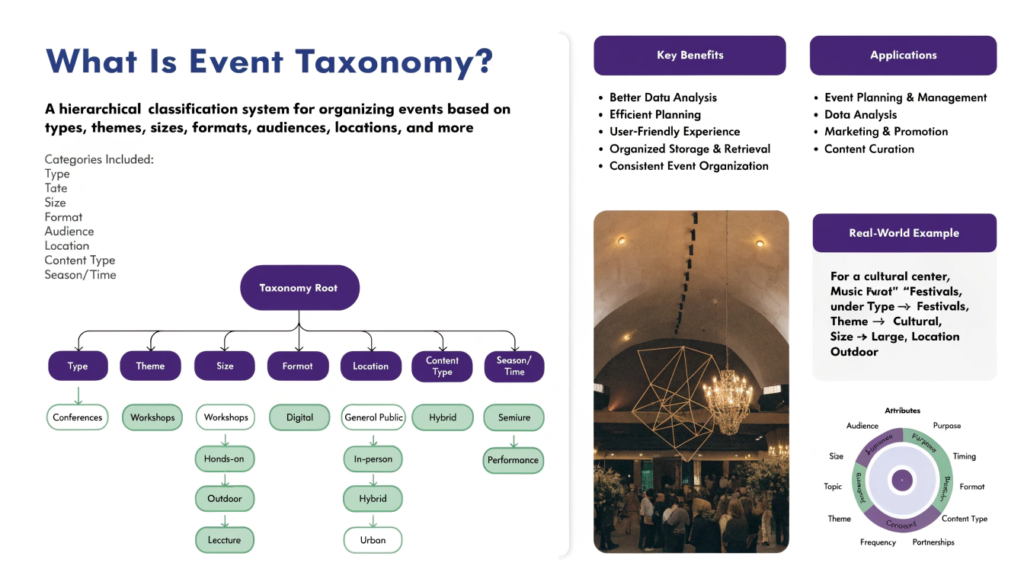
What Is Event Taxonomy?
Event taxonomy is a structured framework used to define, categorize, and name user interactions (events) within a digital product. These events can include actions like clicks, page views, form submissions, downloads, purchases, or any interaction a user performs.
In simple terms, event taxonomy answers three key questions:
- What happened? (Event name)
- Where did it happen? (Context or screen/page)
- Who performed it? (User or segment)
- Additional details? (Properties or metadata)
For example:
- Event Name: button_click
- Page: homepage
- Button Type: signup_cta
Instead of randomly naming events like “btn1” or “click123,” a well-defined taxonomy ensures clarity and consistency.
Why Is Event Taxonomy Important?
Without a proper event taxonomy, analytics data becomes messy, inconsistent, and difficult to interpret. Here’s why it matters:
1. Consistent Data Collection
A standardized taxonomy ensures that all teams track events in the same way. This avoids duplication and confusion.
2. Better Analytics and Reporting
Clean and structured data allows analysts to generate accurate reports and insights.
3. Improved Decision-Making
When data is reliable, teams can confidently make product, marketing, and UX decisions.
4. Cross-Team Alignment
Event taxonomy acts as a shared language between product, engineering, marketing, and analytics teams.
5. Scalability
As your product grows, a structured taxonomy ensures your analytics system remains organized and scalable.
Key Components of Event Taxonomy
A strong event taxonomy typically includes the following elements:
1. Event Name
Defines the action performed by the user.
- Example: product_view, add_to_cart, checkout_started
2. Event Category
Groups similar events together.
- Example: ecommerce, engagement, navigation
3. Event Properties (Parameters)
Additional details about the event.
- Example: product ID, price, category, device type
4. User Properties
Information about the user.
- Example: user ID, location, subscription status
5. Contextual Information
Where and when the event occurred.
- Example: page URL, timestamp, app version
Types of Events in Event Taxonomy
1. User Interaction Events
Actions performed by users: clicks, scrolls, and form submissions.
2. System Events
Automatically triggered events such as page loads, app installs, or session starts.
3. Business Events
Events tied to business goals like purchases, subscriptions, or lead generation.
How to Build an Effective Event Taxonomy
Creating a robust event taxonomy requires planning and collaboration. This is especially important when Building a Consent Event Taxonomy for Analytics Team, where both data accuracy and user privacy must be aligned.
Step 1: Define Business Goals
Start by identifying what you want to measure—conversions, engagement, or retention.
Step 2: Identify Key User Journeys
Map how users move through your product (e.g., homepage → product → checkout).
Step 3: List Important Events
Identify critical touchpoints such as homepage_view, product_clicked, and checkout_completed.
Step 4: Standardize Naming Conventions
Use clear, consistent naming:
- Lowercase
- Underscores instead of spaces
- No vague abbreviations
Step 5: Define Event Properties
Add useful attributes like product name, category, or transaction value.
Step 6: Document Everything
Maintain a centralized taxonomy document with event definitions and ownership.
Step 7: Implement and Test
Work with developers to ensure accurate tracking and validate data quality.
Common Mistakes to Avoid
1. Inconsistent Naming
Different names for the same event create confusion.
2. Over-Tracking
Tracking unnecessary events leads to clutter and noise.
3. Lack of Documentation
Without documentation, taxonomy becomes unusable over time.
4. Ignoring Stakeholders
Excluding teams like marketing or analytics leads to gaps.
5. No Governance
Taxonomy must be maintained and updated regularly.
Event Taxonomy vs Event Tracking
- Event Taxonomy: The structure and naming framework
- Event Tracking: The implementation using analytics tools
Think of taxonomy as the blueprint and tracking as execution.
Tools That Use Event Taxonomy
Popular tools include:
- Google Analytics 4 (GA4)
- Mixpanel
- Amplitude
- Segment
These platforms rely heavily on structured event data for meaningful insights.
Event Taxonomy in the Context of Privacy and Compliance
With regulations like India’s DPDP Act, event taxonomy is no longer just about analytics—it’s also about responsible data collection.
When Building a Consent Event Taxonomy for Analytics Teams, organizations must:
- Collect only necessary data
- Avoid capturing sensitive information without consent
- Align tracking with user permissions
This ensures both compliance and user trust.
Real-World Example of Event Taxonomy
| Event Name | Category | Properties |
| product_view | ecommerce | product_id, category, price |
| add_to_cart | ecommerce | product_id, quantity, price |
| checkout_started | ecommerce | cart_value, items_count |
| purchase_completed | ecommerce | order_id, total_amount, payment_type |
Benefits of a Well-Defined Event Taxonomy
- Cleaner and more reliable data
- Faster and more accurate reporting
- Better product and user insights
- Improved marketing attribution
- Easier onboarding for new teams
Conclusion
Event taxonomy is not just a technical setup—it’s a strategic framework that defines how your organization understands user behavior. From improving analytics accuracy to supporting compliance efforts, its impact is far-reaching.
As businesses become more privacy-focused, Building a Consent Event Taxonomy for Analytics Teams will become essential—not optional. By aligning data collection with both business goals and user consent, organizations can unlock powerful insights while maintaining trust and compliance.
FAQs
1. What is event taxonomy in simple terms?
It is a structured way to organize and name user actions in analytics.
2. Why is event taxonomy important?
It ensures consistent data collection and improves decision-making.
3. What is the difference between event taxonomy and event tracking?
Taxonomy is the structure; tracking is the implementation.
4. How do you create an event taxonomy?
Define goals, map journeys, list events, standardize naming, and document everything.
5. What are event properties?
They are additional details about an event, such as product ID or price.
6. Which tools use event taxonomy?
Tools like GA4, Mixpanel, and Amplitude use event-based tracking.
7. Can event taxonomy help with compliance?
Yes, especially when integrating consent-based tracking practices.
8. How often should event taxonomy be updated?
Regularly—especially when new features or goals are introduced.