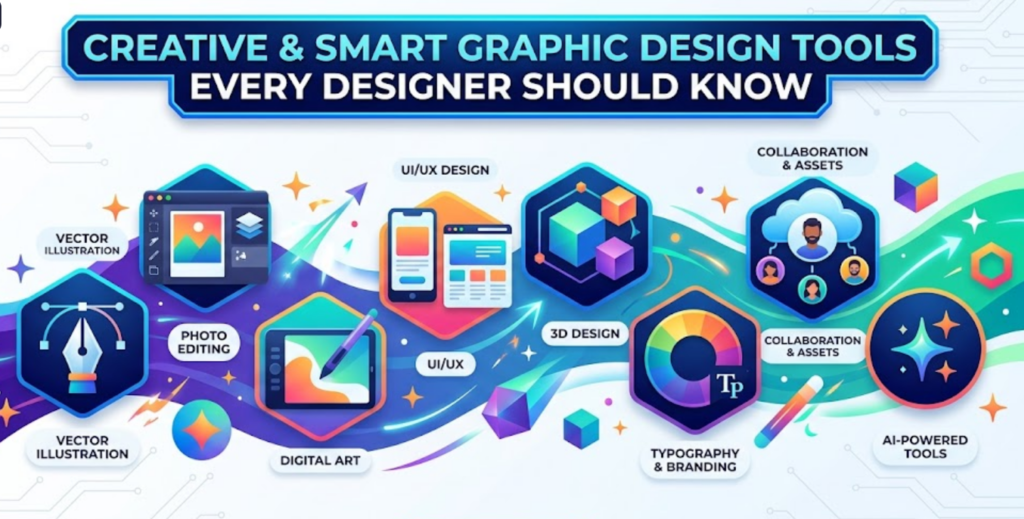
The world is transforming into a more digitally generated universe. In the modern age, graphic design is the mainstay of marketing. Numerous tools on the internet help designers showcase their skills. But let’s be honest. It’s not about these advanced tools only. It’s about a person using them: what approach they have in mind when staring at a blank page. Every tool has its designated purpose. So, learning about it initially matters most. If you know how to operate it properly, then you will realize how big a difference it makes.
Let’s Explore Some Helpful Tools For Design Purposes!
Wanted to design logos? Social media graphics? Posters? Or branding? Or want to be a professional magazine cover designer then, all you need to do is know which tool should be used for specific purposes. Let’s start with:
Image Editing? Go For Adobe Photoshop
Adobe Photoshop is the vast world of menus in menus and mysterious buttons. Whenever we think about graphic design, Photoshop is the first thing that came into mind. And even after the rapid rise of photo editing tools, Adobe still stands out to this day. Yes, we know that the program initially looks confusing, but you have time to understand it. You really can not explore the whole ocean on the first day of swimming, right? So, why not take your time learning about this exceptional tool?
Purpose: When it comes to working with images, texture, and digital artwork, you can utilize this software. You can manipulate the images at the pixel level, remove backgrounds, retouch photos, adjust lighting and effects, blend multiple images, do digital artwork, and make paintings from scratch.
Why Adobe Illustrator When it Comes to Logos and Icons?
Ensuring a sharp, clear logo across all materials is done through vector graphics. And for that, there is no better option than Illustrator. Whether it’s on a business card or a billboard, you need to design a sharp, visually appealing logo for the brand without any reduced or blurred quality. Instead of brushes and filters in Photoshop, you work with paths and anchors to operate this software.
Purpose: For logos, icons, illustrations, typography designs, and branding materials, you can make the most out of Adobe Illustrator. Incredibly satisfying for the shapes, spacing, and structure. Every other graphic designing company in UAE uses this software and even teaches beginners for precision and discipline.
Figma – A New Obsession of Designers
Figma is the epitome of powerful modern design tools. It speeds up workflows, which is why professionals prefer it a lot. And beginners love it because it doesn’t seem like much at all. You can see the combination. And you know why it has become an obsession for digital and UI- focused designers. Its user interface is clean, modern, and surprisingly friendly for beginners, and it can be run in a browser as well.
Purpose: This software is ideal for purposes like layouts, web graphics, social media visuals, and brand systems. What makes it apart is the collaboration feature. You can work on the same design file with your team. Clever enough, right?
An Alternative to Adobe? Affinity Designer is Here to Save You
Are you not in need of a subscription? Then let the Affinity Designer do its work and solve your problems at once. It is a professional-grade graphic design tool that you pay for only once and keep forever. No stress of your subscription expiring. It already eases your work.
Purpose: It handles both vector and raster design, meaning you can switch between logo design and detailed illustrations in the same workspace. Due to its fast, smooth, and thoughtfully designed performance and affordability, designers prefer it a lot.
A Convenient Start? Opt for Canva
No prior experience in graphic design? Then why not take a start with Canva? With pre-made templates and easy-to-use features, this design software is an excellent tool, especially for beginners. It is not necessary for a good design to hide behind complexity. Canvas proved how fast you can go from a blank canvas to a well-made, finished design. Many freelancers and professional package design services still use this software for quick, effective results.
Purpose: Drag-and-drop elements, ready-made layouts, built-in fonts, and color palettes are among the notable features of Canvas. It makes the design feel approachable and fun. You can make business cards and brand portfolios, and appealing social media posts as well.
Which Graphic Design Tool Should You Start With?
For Beginners
A beginner-level designer applied different approaches when they entered the graphic design industry. You cannot jump into too advanced tools or stay too long being too comfortable with basic tools. It all basically depends on the level of skills you are having the moment you start this journey. It is indeed a smart move. When you are taking a first step, confidence matters more than creativity. Take a start with tools like Canva and Figma. We are suggesting these tools because they offer easy-to-use features and are user-friendly. Canvas helps you explore layouts, typography, and color features, and its pre-made templates help you figure out how the design should look rather than making it from scratch. A beginner always seeks experimentation, and that’s exactly what this software helps you to do so. At this stage, the goal is not about industry standards; it’s about how you understand the basics and how creative you are while in the process.
For Professionals
There is one pattern you must have observed in the professionals, regardless of the field. They do not want their workflow to be interrupted. They have completed the baby steps process and look forward to factors that accelerate their work while maintaining quality and stability. The same pattern is adopted by professionals in the graphic design field. They have experience with the basic tools like Canvas and Figma, and seek more efficient tools that offer depth, precision, and flexibility. If we look at it from their point of view, then we can understand why it is mandatory to have experience with every tool. The invasion of AI and the rising competition in the design industries require you to excel with as many tools as you can to stand out and stay ahead of your competition. When working with multiple clients, they cannot rely on a single piece of software to meet deadlines; instead, they use a combination of software to handle large files.
FAQs
Is it worth it to invest in paid tools?
If designing is your hobby or career, then paid tools are excellent. They offer more advanced options and polish your work.
Is Photoshop necessary for all designers?
Many designers specialize in software that aligns with their workflows. Photoshop is not necessary to learn, but if your field requires it, you have to be an expert.
Can I use Canva for professional clients?
Absolutely! Many freelancers use Canvas for professional work and client projects, including branding and media presentations.
What are some useful tools in the graphic design field?
You can look forward to efficient tools like Canvas, Adobe Photoshop, Illustrator, and Figma to understand the basics of design.
Learning Should be Fun, Not Frustrating
It’s all about the ideas first. Tools can polish your work and make it look better, but they can only run once you give your input; that is an idea. When you think in a bigger, more organized way, as your mind gathers ideas, you will automatically develop your potential in tools and learn to use them. Mistakes and failures are all part of it. Make the most of whatever is useful and discard all that is not useful in any way. Celebrate every milestone along the way because it is the only way to keep yourself going.